
Download ESET Cybersecurity – Secure, Free, and Easy Mac Antivirus
Overview of ESET Cybersecurity for Mac
ESET Cybersecurity is the Mac‑focused evolution of the classic NOD32 Antivirus, delivering a lightweight yet powerful security suite for macOS users. First introduced in 2011, the program has accumulated more than 67,000 downloads and continues to be a trusted choice in regions such as Egypt, Germany, and South Africa. The current version, 5.0.115.0, was last updated on 23 December 2013, and the trial version remains free to download, making it an attractive option for individuals and small businesses that need solid protection without a hefty price tag.
Built on ESET’s renowned detection engine, Cybersecurity offers real‑time scanning, heuristic analysis, and cloud‑based threat intelligence. While the interface is intentionally simple—perfect for users who prefer a “set‑and‑forget” experience—it still provides enough depth for power users who want to customize scan schedules, exclusions, and notification preferences. The software sits comfortably within the Utilities > Anti‑virus sub‑category, and its modest disk footprint ensures it won’t bog down older Mac machines.
In addition to traditional virus and malware protection, ESET Cybersecurity includes anti‑phishing safeguards, web traffic monitoring, and a lightweight firewall that works seamlessly with macOS’s native security features. Whether you’re browsing the web, downloading files, or connecting to public Wi‑Fi, the tool continuously evaluates risk and intervenes when necessary. Because it’s a trial version, users can evaluate the full feature set for a limited period before deciding whether to upgrade to the paid ESET Cybersecurity Pro plan.
The trial remains fully functional, offering a realistic picture of everyday protection without hidden restrictions.
Overall, ESET Cybersecurity represents a balanced blend of performance, ease of use, and advanced protection—making it a compelling choice for anyone looking to download a free, secure antivirus solution for macOS.
Key Features that Set ESET Cybersecurity Apart
- Real‑time File Scanning: Continuous monitoring of files as they are accessed or downloaded, catching threats before they can execute.
- Heuristic & Cloud‑based Detection: Uses behavior‑based algorithms and cloud‑sentinel technology to identify zero‑day and unknown malware.
- Anti‑Phishing Guard: Scans web pages and email links for fraudulent sites, reducing the risk of credential theft.
- Lightweight Firewall Integration: Works alongside macOS’s built‑in firewall, offering additional inbound/outbound traffic filtering without noticeable latency.
- Low System Impact: Optimized for macOS, the program consumes minimal CPU and RAM, preserving battery life on laptops.
- Scheduled & On‑Demand Scans: Users can create custom scan schedules or launch manual scans with a single click.
- Quarantine Management: Suspicious files are isolated in a secure vault, with options to restore or permanently delete.
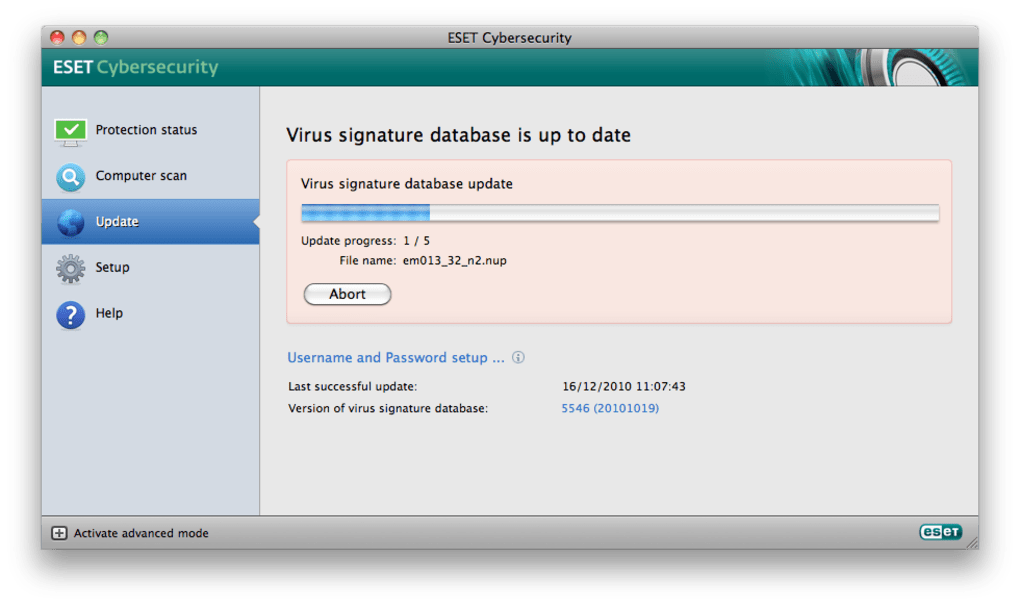
- Automatic Updates: Virus definitions and engine updates are delivered silently in the background, ensuring the latest protection.
- User‑Friendly Dashboard: A clean, icon‑driven interface that displays security status, recent threats, and system health at a glance.
- Multi‑Language Support: Available in English and several other languages, making it accessible to a global audience.
Step‑by‑Step Installation and Everyday Usage Guide
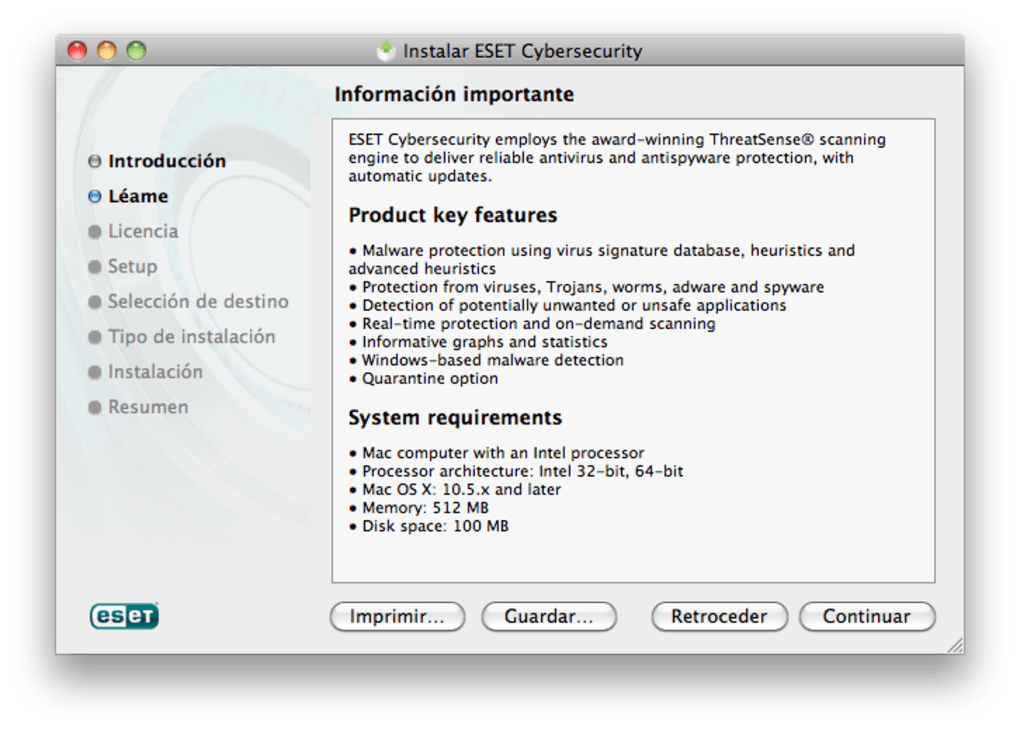
Installing ESET Cybersecurity on macOS is intentionally straightforward, catering to both tech‑savvy users and beginners. Follow these steps to get the software up and running:
- Download the Installer: Visit the official ESET website and click the “Download Free Trial” button for macOS. The file will be saved as
ESET_Cybersecurity_Installer.dmg. - Mount the Disk Image: Double‑click the
.dmgfile to open the installer window. Drag the ESET Cybersecurity icon into theApplicationsfolder, or click the provided “Install” button. - Run the Installer: Navigate to
Applications, locate ESET Cybersecurity, and double‑click to launch. macOS will prompt you to confirm that you want to open an app from an identified developer; click “Open”. - Grant Security Permissions: During the first launch, macOS will request access to system extensions and files. Open
System Preferences → Security & Privacy → Privacyand enable the required permissions (Full Disk Access, Files and Folders, and Network). Restart the computer if prompted. - Activate the Trial: Upon startup, a welcome wizard appears. Enter your email address to receive a trial license key, then input the key when requested. The trial is valid for 30 days, after which you may purchase a full license.
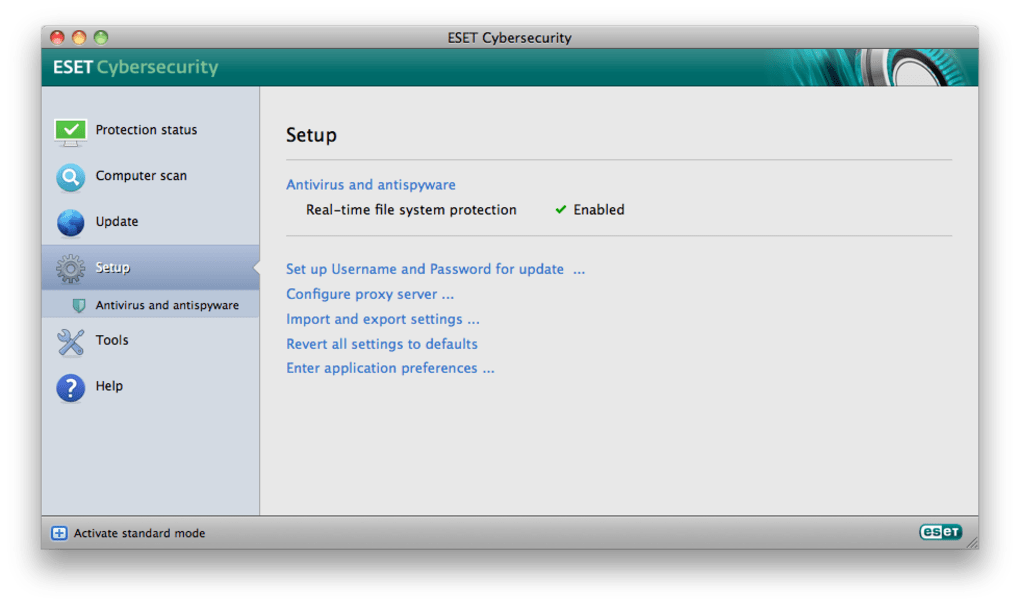
- Configure Initial Settings: The wizard will guide you through basic configuration: enable real‑time protection, schedule daily quick scans, and set up automatic updates. For most users, the default recommendations provide optimal security.
- Run Your First Scan: Click the “Scan Now” button on the dashboard to perform a full system scan. The process may take 10‑30 minutes depending on the size of your hard drive, but you can continue using your Mac while the scan runs in the background.
- Review Quarantine Items: After the scan, any detected threats appear in the Quarantine tab. Review each item, decide whether to restore (if it’s a false positive) or delete.
- Stay Updated: ESET automatically checks for definition updates every few hours. You can manually trigger an update by clicking “Check for Updates” in the Settings menu.
Daily usage is as simple as glancing at the dashboard. If the shield icon stays green, your system is protected. Should a threat be detected, a pop‑up notification provides immediate details and remediation options. For power users, the “Advanced Settings” panel allows you to fine‑tune exclusions, adjust heuristic sensitivity, and configure custom firewall rules—all without compromising the tool’s core performance.
Compatibility, Pros & Cons – What You Need to Know
ESET Cybersecurity is compatible with macOS 10.7 (Lion) through macOS 10.15 (Catalina). It also supports earlier versions of macOS X, though users on very old releases may encounter limited feature sets due to OS restrictions. The software runs on both Intel‑based Macs and Apple Silicon (M1/M2) devices, thanks to Apple’s Rosetta 2 translation layer for Intel binaries. However, native ARM support is planned for future releases, which will further improve performance on the latest hardware.
Pros
- Extremely low CPU and memory usage, ideal for older MacBooks.
- Comprehensive real‑time protection with cloud‑based threat intelligence.
- Easy‑to‑navigate interface; suitable for both novices and advanced users.
- Free trial offers full functionality, giving users a genuine test period.
- Automatic background updates keep the virus database current without user intervention.
- Multi‑language support and clear documentation.
Cons
- Last major version update was in 2013, which may raise concerns about long‑term support.
- Limited advanced features (e.g., ransomware shield, device control) compared to premium competitors.
- No native Apple Silicon binary yet; performance on M1/M2 devices relies on Rosetta.
- Trial period ends after 30 days, after which a paid upgrade is required for continued use.
- Customer support for the free trial is community‑based rather than dedicated live chat.
Frequently Asked Questions (FAQ)
Is ESET Cybersecurity truly free for Mac?
The trial version is completely free and provides all core features for 30 days. After the trial expires, you’ll need to purchase a license to continue receiving updates and support.
Can I run ESET Cybersecurity alongside another antivirus?
It’s not recommended to run two real‑time scanners simultaneously, as they can conflict and cause system slowdowns. If you need to test the software, disable the other antivirus during the trial period.
Does the software protect against ransomware?
While the free trial includes basic ransomware detection through heuristic analysis, advanced ransomware shield features are reserved for the paid Pro version.
How often does ESET update its virus definitions?
Definitions are refreshed multiple times per day via the cloud, ensuring you receive protection against the latest threats without manual intervention.
Will ESET Cybersecurity affect my Mac’s battery life?
Because the engine is designed for low resource consumption, impact on battery life is minimal. Users typically notice less than a 2% increase in power draw during idle periods.
Conclusion – Secure Your Mac Today
ESET Cybersecurity offers a compelling mix of lightweight performance, solid real‑time protection, and a user‑friendly interface that makes it an excellent choice for macOS users seeking a free, secure antivirus solution. While the trial’s 30‑day limit and the lack of some advanced premium features may prompt power users to look elsewhere, the core protection is robust enough for everyday browsing, file sharing, and email communication.
If you’re ready to download a trustworthy Mac antivirus that won’t slow down your system, click the button below to get the free trial. Experience ESET’s renowned detection engine, enjoy seamless background updates, and protect your data with confidence. Should you need extended features after the trial, upgrading to ESET Cybersecurity Pro is just a few clicks away.
Download ESET Cybersecurity Free Trial
Pros: Light footprint, real‑time protection, easy setup.
Cons: Outdated version number, limited advanced features in the free tier.







